


Managing emails can quickly become overwhelming. Instead of manually sorting through every message, I’ve implemented an AI-powered system to automatically categorize my Gmail into actionable groups. This approach ensures I focus only on what’s important, saving time and effort.
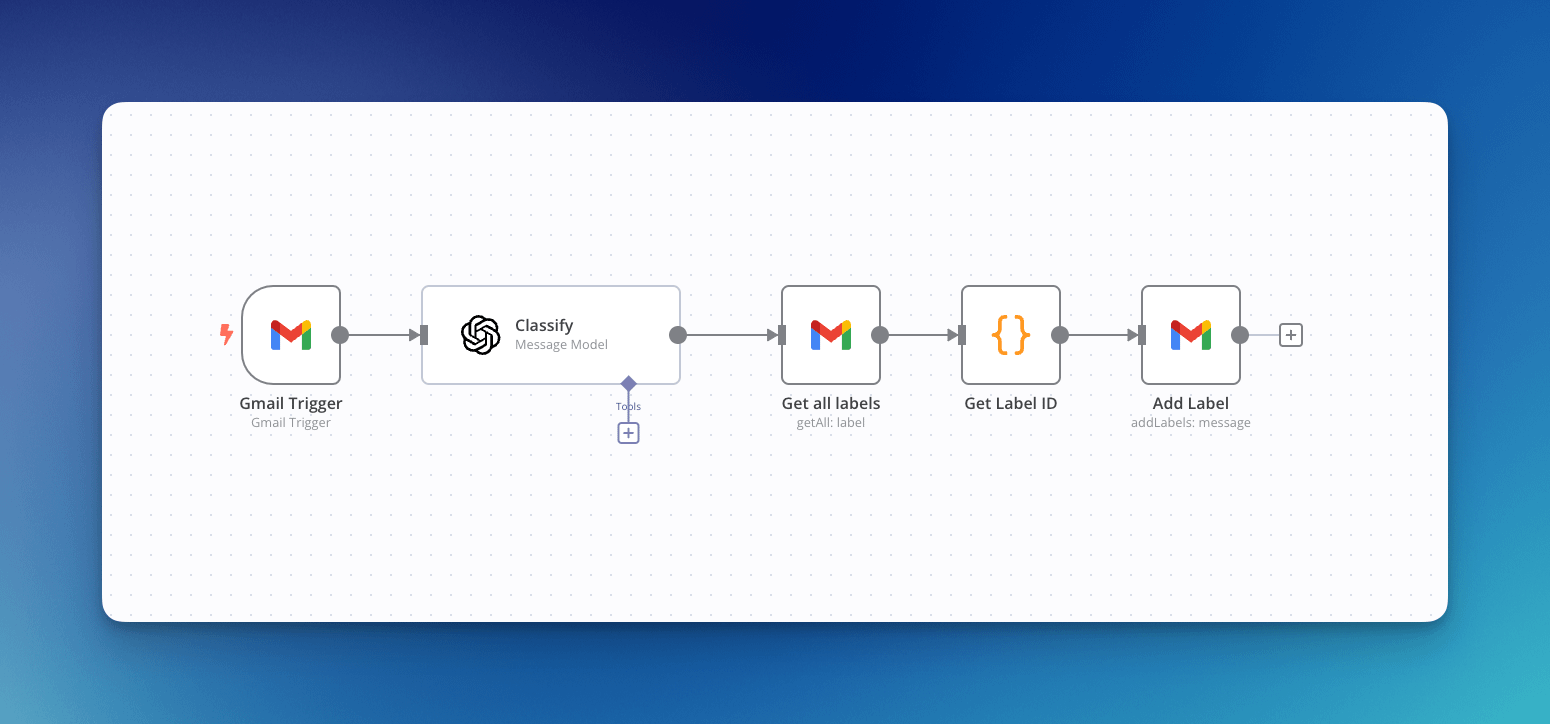
How It Works
Using n8n, I’ve connected my Gmail with an AI model to classify incoming emails into six predefined categories:
1. ShouldRead: Important information to review.
2. ShouldReply: Emails requiring a response.
3. ColdEmail: Unsolicited outreach or pitches.
4. Marketing: Promotions and advertisements.
5. Priority: High-importance or time-sensitive emails.
6. Notification: Automated updates and system messages.
Each new email is analyzed by the AI, and the appropriate label is applied in Gmail.
My Focus Areas
To stay efficient, I only pay attention to these categories:
• ShouldRead: Key information relevant to ongoing work or personal development.
• ShouldReply: Messages that require a response to maintain workflows or relationships.
• Priority: Critical emails that demand immediate action.
Other categories like ColdEmail, Marketing, and Notification are deprioritized and checked only occasionally, if at all.
Benefits
This system delivers clear advantages:
• Efficiency: No manual sorting or wasted time searching for important emails.
• Clarity: My inbox is segmented based on actionable priorities.
• Focus: I concentrate on tasks that matter, without distractions from low-priority emails.
Set It Up Yourself
Here’s a quick outline of the process:
1. Trigger: Detect new emails using Gmail integration.
2. Classify: Use an AI model to analyze the email’s content.
3. Label: Apply predefined labels in Gmail automatically.
This setup is flexible—tailor the labels and workflows to suit your specific needs.